JURA Z10 Review

JURA’s Z10 is a luxury super-automatic espresso machine that’s occupied the high end of their home catalog for more than half a decade. The 10 in its name has become synonymous with JURA’s on-demand cold brew technology or Cold Extraction Process which debuted on the original Z10. Five years later JURA has returned to the platform with a host of updates both to the menu of drinks and user friendliness. Some key changes include:
Ready-to-Drink Light Extraction Drinks | Sweet Foam and Chocolate Foam | Wake-Up and Brew Functionality Caffeine Regulator Mode | User Profiles and Quality Assistants
And with that brief introduction, let’s get into what makes the JURA Z10 one of my favorite super-automatic espresso machines.

$4,399.00 - $4,499.00
The Design

If you’re a fan of metal, the Z10 is one of the few super-automatic machines to still use metal in its housing. The Aluminum White and Black Z10s actually use several mm thick sheets of aluminum on the machine’s front paneling. This is rare even for JURA, as their GIGA series of machines recently changed from aluminum to plastic when the GIGA 6 was updated to the GIGA 10. The panels have a concave/convex design where they curve upwards and inwards at different points on the machine’s facade.

In terms of controls, the Z10 has a 4.3” color touchscreen to brew drinks and navigate programming. The screen is fairly responsive to input and easy enough to use, but the Z10 also has tactile controls as well. On the top right of the machine is a combination button and dial that JURA refers to as the “rotary switch” to augment navigation with even friendlier controls. This combination of tactile and touch is also featured on Gaggia’s premium Accademia espresso machine with its glass touchscreen and selector knob.

Thanks to the inward curving of the front panel, the drip tray is deeper than it appears at first glance, and the coffee and milk spouts are consolidated into a single assembly with a clearance of 5.9”. This allows you to fit travel mugs under the spouts and brew the full range of drinks including cold and sweet foam options to-go and cut the drive-thru out entirely.

On the left side of the machine, the 81oz water tank is illuminated by a blue light and features a ribbed design to hide water spots from hard water.
What's New
Light Extraction
Light Extraction is a new brewing mode that JURA introduced on their C9 and C3 machines that I reviewed earlier this year. The value proposition behind Light Extraction is that your coffee is brewed at a lower temperature (around 140° F) so that it is immediately ready to drink. The dose of the coffee is also reduced by approximately 10%, so overall the coffee is less strong. On the new Z10, all drinks can be prepared using Light Extraction, allowing the machine to suit a greater range of preferences.
You can read more about light extraction in my review below.

JURA C9 Review
Sweet Foam and Chocolate Foam
The Sweet Foam System was introduced on the JURA J8 and is an attachment to blend frothed milk with flavored syrups in order to emulate the popular trend of sweetened foam from chain cafés. It's a neat innovation because you simply remove the spout from the milk frothing assembly and replace it with the Sweet Foam Capsule. You get two in the box and additional units are available for sale as well.

On one hand, the capsules are very easy to fill and clean, but on the other, they're only used for a single drink and need to be cleaned and refilled each time. It's also important to note that they only work with lighter consistency syrups rather than thick sauces. You can select Sweet Foam as an option for a drink in the menu, but it's really just a reminder to attach the capsule before preparing your drink.

Infusing flavor into milk can produce a layer of sweetened foam like you'd expect, and helps with the aromatics of the drink as the foam floats on top. To infuse flavor more into the coffee, you should experiment with drinks that use more hot milk than foam, like the Caffè Latte or Latte Macchiato.
Chocolate Foam

In addition to Sweet Foam, JURA also introduced Chocolate Foam as a new option for beverages as well. While I was initially intrigued by this addition, the Chocolate Foam attachment still only works with syrups, not thick chocolate sauces, so it really just functions as a higher capacity Sweet Foam capsule so you can add more syrup to flavor your milk.

This is helpful when you're making drinks which are entirely flavored milk, like hot chocolate or chai. Those who want chocolate foam in their coffee, this Z10 gen 2 now has a dedicated Mocaccino drink option; chocolate milk foam infused in coffee.
Coffee Timer
I referred to this earlier as "Wake-Up and Brew" but the Coffee Timer is a new programmable feature that makes use of the J.O.E. app to program a set time for the Z10 to wake up and brew a drink for you in the morning.
The step-by-step process is initiated when you activate the Coffee Timer. Once selected, the machine will rinse. It will not rinse again until 8 minutes after your drink is made or 16 hours from the time you set it; whichever comes first. The screen will state to use the J.O.E. app, select your drink and set the time you want it to be prepared. You may now put your cup on the cup platform. The machine will go into sleep mode and will wake itself to brew your drink at the time you set.

With many modern prosumer espresso machines featuring programmable on/off times, it's nice to see this feature implemented on a super-auto. It does require a bit of setup in the app, and if you want a milk drink, you'll need a refrigerated milk unit like the Cool Control in order to safely store it on your counter overnight.

$449.00
Despite some limitations, it can't be overstated that this feature has been long desired in a home super-auto and if you want your coffee to be ready when you are, the Z10 is the only machine I know of that can have it brewed for you automatically.
Caffeine Regulator

The Caffeine Regulator is a unique feature because it leverages pretty much all of the Z10's technology to influence the in-cup result. The Caffeine Regulator can be accessed with JURA’s new “Easy Mode”; which simplifies the customization of the drink you are about to make. The caffeine regulator is a setting in lieu of the coffee strength. Out of the box, the Z10’s caffeine regulator is on. To change this option to strength, simply access the machine settings in the cockpit and change it to strength. This setting will apply to all beverages.

It works by automatically changing parameters like coffee dose, grind size, temperature, amount of bypass water, etc. to influence the amount of caffeine in the cup while maintaining consistency of flavor.
While I think that this is an interesting feature, especially for people looking to watch their caffeine intake, I also feel that JURA has addressed this concern more effectively on their J10 Twin and GIGA 10 espresso machines, each of which have two separate grinders that can be used for regular and decaf coffee as well as creating blends between the two. That said, it's still a unique feature and not something you see from other manufacturers.
User Profiles and Quality Assistants

Like many super-automatic machines, the Z10 now has the ability to program user profiles with up to four drinks a piece (for an additional 16 custom drinks). This provides easy access to frequently prepared drinks with your custom settings. Not only can you use this for different users, but there's also the possibility to program profiles for specific coffees which I talk about in the section on the Z10's product recognizing grinder.

The Quality Assistant and Milk Assistant are a newly designed feature from JURA that provide gentle nudges to attend to various aspects of the machine. Things like refreshing the water in the reservoir, emptying the drip tray, and cleaning the milk system are all suggested at intervals by the machine in order to guarantee your coffee tastes its best and that things don't get too dicey from a cleaning perspective.
Brewing on the Z10

The Z10 offers the simplest brewing workflow when it comes to super-automatic machines. The display is a full color touchscreen and you brew a drink simply by tapping its icon. There are no additional menus that pop up, your drink simply starts to brew. To customize a drink, you press and hold its icon instead. This setup is incredibly simple and helps you brew drinks as quickly as possible. The only downside is that if you accidentally tap a drink (which you will, it's only a matter of time) the Z10 will begin grinding and brewing immediately, forcing you to cancel the drink.

Drinks are organized into screens that are navigated via a set of dots on the bottom left of the screen. Tapping the bar at the bottom of the screen pulls up World Selection to override all drink settings with a particular world (Classic Hot, Cold, Light, or Sweet) and tapping at the top pulls up your user profiles. Using the rotary switch on the top of the machine also lets you scroll through default drinks to access them in case they aren't visible on any of your drink pages. You also always have access to a drink in its default settings and can restore it by replacing one of your programmed drinks with it via the Expert Mode menu.

Each beverage on the machine can be customized with several universal settings: Coffee Strength, Temperature, Volume, and Consistency of grind. Strength is the amount of coffee ground for the drink (or the dose) and can be set in 10 increments with the dose ranging from 5 - 16g of coffee. Temperature is the brewing temperature which ranges between the 170°s - high 180°s F (when recorded at the spouts) between low, medium and high settings. Volume refers to the amount of water that passes through the puck of coffee, and Consistency of Grind refers to the grind setting for the drink which can be set to 1 of 7 levels.

Several new drink options have also come to the Z10, including chocolate specialties with the new Chocolate Foam attachment as well as the Australian style Americano called the Long Black, where espresso is brewed over hot water. The menu of drinks on the Z10 includes classic, cold, light, and sweet variations of the following drinks:
Espresso, Coffee, Americano, Lungo, Long Black, Espresso Doppio, Jug of Coffee, Cortado, Espresso Macchiato, Caffè Latte, Cappuccino, Flat White, Latte Macchiato, Mocaccino, Chocolate Foam, Milk Foam, Milk, Hot Water, Hot Water for Green Tea
Additional drink variables like added water (for Americanos and the Long Black), brewing with pre-ground coffee, and more can be adjusted for specific drinks only. There's also additional programming for milk drinks that I'll cover in my later section if you want to skip ahead to that.
Other options to program include things like drink's name, and you can also copy it, or replace its position on the touchscreen menu.
Easy vs. Expert Modes
Depending on your preferences, you can now program drinks using Easy Mode as opposed to the traditional Expert Mode. Programming is still accessed by pressing and holding the drink icon on the menu screen, but Easy Mode will reduce the complexity of programming a drink to a few basic variables such as coffee volume, strength, and the volume of other ingredients (like additional hot water or milk). A drink's expert settings can still be accessed via the cog icon in the top right of the screen.
Product Recognizing Grinder

In my opinion, the Product Recognizing Grinder or PRG is the most exciting feature on the Z10. It's a self-adjusting grinder that adjusts the position of the burrs based on the current drink you're brewing. The grind itself is a programmable value inside a drink's "Expert Mode" menu and can be set individually for each drink. This functionality was originally introduced to help with cold brew drinks that required a much coarser grind, but it also helps when brewing any kind of drink in general.
You can set the grind to be finer for espresso and coarser for long coffees for instance. The grinder will also automatically release tension on the burrs (with a reverse spin that sounds like an F1 racecar) before adjusting and grinding. On other JURA models like the new J10 Twin and new E8, you can adjust your grind before brewing, and even tell the machine to alert you to do so, but it's nowhere near as convenient as the burrs simply adjusting themselves like they do on the Z10.
Not only is this useful for the drinks you can prepare on the machine, but also for different coffees. So let's say you swap between coffees frequently, you can make a custom drink for that coffee with custom grind sizes and then save it to a profile in the machine.
Cold Brew

JURA's Cold Extraction Process was the defining feature of the original Z10 and it's still impressive to this day. The machine will bypass the thermoblock and pump water directly to the brew group for true cold extraction. In order to assist with the extraction, coffee is ground extra coarse and the water is pumped at a low frequency pulse.
Milk Drinks

Milk drinks are one of the Z10's strong points. The frothing assembly can produce both hot milk for drinks like lattes, and airy milk foam for cappuccinos. Many drinks feature both hot milk and milk foam, and the Z10 can automatically switch between them when preparing a drink.
When programming milk drinks you can set temperatures of both the hot milk and milk foam to one of three settings. This is a bit of a downgrade from the previous Z10 where there were 10 settings to choose from, but with all the new brewing options, it's likely JURA needed to make some room for the new programming. Milk drinks are also plenty hot as it is, so the level of nuance previously offered isn't likely to be missed by most users.
The actual frothing of the milk is accomplished by using steam to siphon milk through a frothing assembly where it is heated and aerated. The Z10 comes with a pickup tube that can connect the frothing assembly to a number of companion milk containers from JURA, like the refrigerated Cool Control system that stores milk on the countertop for on-demand use. That said, you don't actually need to connect the machine to a container, simply placing the pickup tube in a glass of milk will work.
Milk System Cleaning
The Z10 makes cleaning the milk system incredibly easy with its self-contained system that connects directly to the frothing assembly. When its time to clean (not just rinse) the milk system, simply place the included container on the drip tray and connect it to the frothing assembly. Add one measured dose of milk system cleaning tablets and start a cycle.

Hot water is dispensed into the container to dissolve the tablets into a cleaning solution which is then siphoned into the frother and dispensed back into a separate compartment. All of this is done automatically and once it's finished, you simply remove the container from the machine and dump the contents into the sink.
In the Z10's cockpit menu accessed via the rotary switch, you can easily initiate a cleaning cycle, alternatively if you've connected your machine to the J.O.E. app, you can use it to view necessary maintenance and initiate cleaning cycles that way.
Maintenance
Apart from milk system cleaning, the Z10 will really only prompt you for two other things, cleaning the brew unit at regular intervals using a JURA 3-Phase cleaning tablet, and changing the CLEARYL water filter.

If you replace the included CLEARYL water filter that comes with the machine, you will never be prompted to descale. If at any point you let the filter lifespan lapse and don't replace it, the Z10 will revert to descaling mode and eventually you'll be prompted to run a descale instead. As far as upkeep goes, it's a fairly simple process, though one that requires the use of only official JURA cleaning products in order to stay in warranty.
Final Thoughts
The Z10 has consistently been my favorite JURA espresso machine, if not my favorite super-automatic machine in general since it debuted in 2021. This latest version reaffirms my love for the platform with its significant expansion of brewing features that go beyond simply adding a drink or two to the menu.

For the layperson, the Z10's massive customization options may never come into play, but features like on-demand cold brew, programmable automatic brewing, and the enormous menu of specialty beverages available at one touch make this machine the perfect choice for anyone looking for effortless luxury coffee at home
Things we Love
- Massive Drink Menu
- On-Demand Cold Brew
- Effortless Maintenance
- Premium Build Quality
Things to Consider
- High Price Tag
- Learning Curve Can be Steep
Photography by Grace Walker
Shop This Blog
-
 The JURA Z10 revolutionizes fully automatic espresso brewing. Enjoy a full of drink options, from hot to cold. Go from the trendy flat white, to an iced coffee brewed with the Z10’s new Cold Extraction Process. Plus, take full advantage of the Product Recognizing Grinder (P.R.G.) to enjoy the perfect grind for whatever beverage you prepare.
 -

- 1.0 l Capacity
- Compatible with all JURA milk systems
- Keeps milk chilled to 39ºF
-
 KINTO’s To Go Tumbler is made of double-walled, stainless steel so you can keep your beverage handy, wherever your day takes you. This remarkable vessel keeps cold beverages below 50°F and hot beverages above 149°F for up to one hour.
 -
 KINTO CAST cups and mugs are designed to interfere as little as possible with the enjoyment of your beverage. Perfectly balanced and made from lightweight, airy glass, drinking from CAST vessels is a relaxing, almost magical experience.
 -
 Our Beaned Up coffee has out of this world notes of marshmallow, graham crackers and berries and is blended from ethically and sustainably sourced coffees.
 -
 Step into a metropolis of smooth orange and vanilla with our Buzzopolis whole bean coffee, blended from ethically and sustainably sourced coffees.
 -
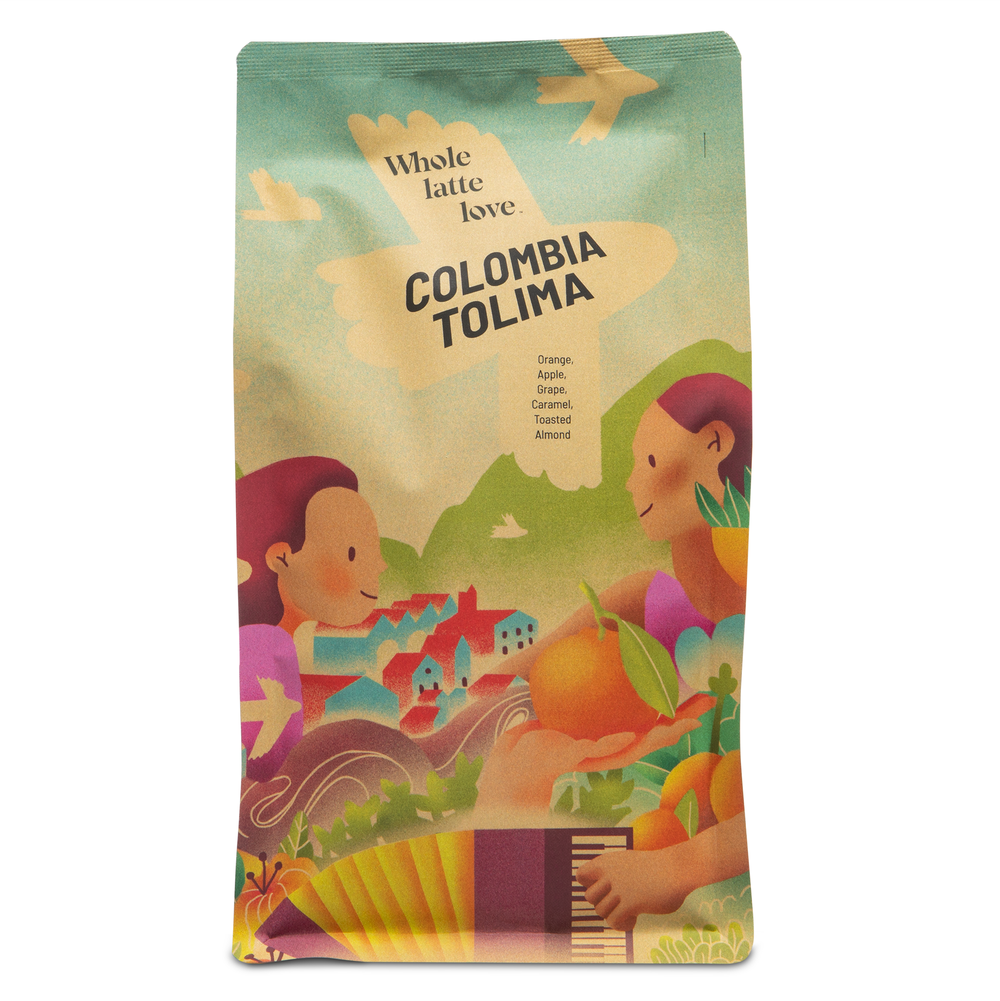 Our Colombia Tolima coffee blends Castillo and Caturra beans. It's organically grown, sustainably sourced, and bright and balanced with comforting flavors.
 -
 Our Rwanda Rugali single origin coffee is an versatile, natural process coffee with sweet notes of maple syrup, floral black tea, and red grape. This coffee can be enjoyed with all brew methods and produces pleasantly complex espresso and milk drinks.


Related Articles

JURA GIGA 10 Review

Cold Brew: What It Is And How To Make It